Strategies for Maintaining an Organized Inbox
A well-organized inbox can significantly enhance productivity and reduce stress. By streamlining email management practices, users can devote their focus to essential tasks rather than being overwhelmed by unread or misplaced messages. For more insights, readers can explore resources such as TechRepublic or The New York Times Technology section.
Utilizing Folders and Labels Effectively
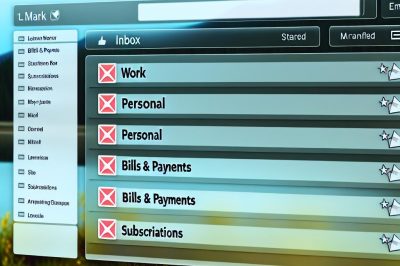
An intuitive system of folders can be invaluable in separating different types of emails for easy access and management. Users can create folders that are specifically tailored to their needs by categorizing emails into different sections. For instance, creating folders such as work, personal, urgent, or even folders for specific projects can make it much simpler to tackle emails relating to a particular subject without having to sift through unrelated messages.
Employing consistent naming conventions for these folders is an important aspect to consider. This ensures that emails can be quickly located without hesitation or confusion. Make it a point to adopt naming conventions that are easily understandable and relate directly to the type of emails they contain. Apart from folders, making effective use of labels, especially in email services that emphasize this feature, can also help in adding another layer of organization. Labels can act as tags that further define the nature of emails across different folders, facilitating easy retrieval when needed.
Setting Rules and Filters
Implementing rules and filters is an effective way to manage the onslaught of incoming emails and prevent inbox overload. By automatically sorting emails, users can ensure their primary inbox remains clear of clutter. For instance, newsletters or regular updates can be directed into a predetermined folder, ensuring they do not interfere with more important messages.
Many email clients offer the capability of setting up customized filtering criteria. This can include parameters such as the sender’s address or specific keywords in the subject line. By using these filters, emails are automatically categorized according to the user’s preferences, turning the overwhelming experience of a crowded inbox into a well-organized cycle of communication.
Adopting the “Touch It Once” Rule
The “Touch It Once” rule is a practical strategy aimed at handling emails in an efficient manner. The core idea is to take action on an email upon the first read-through, if possible, such as replying, archiving, or deleting it immediately. This approach ensures emails do not languish unattended and clutter the inbox.
For emails that demand more time or require a thoughtful response, it may be advisable to use temporary labels or note-taking features that flag the email for later attention. Moving these into designated folders can serve as a reminder of pending tasks, curbing procrastination and minimizing the risk of emails being forgotten or overlooked.
Maintaining a Regular Review Schedule
To sustain an ordered inbox, routine reviews and decluttering are important. Setting aside dedicated time periods in the week to evaluate and manage emails can prevent build-up, allowing users to maintain an efficient system without too much effort. By regularly discarding unnecessary emails, the inbox remains lean and organized, which can also improve the email client’s performance.
Additionally, updating existing folders and filters at regular intervals ensures they remain relevant and aligned with evolving needs and priorities. Even as work projects or personal responsibilities change, a vigilant and adaptable email organization system will be key in always having a tidy digital workspace. It is equally advantageous to review and refine rules and filters periodically to accommodate any updates or changes in email management needs.
By methodically implementing these strategies, individuals can ensure their email system remains a source of productivity rather than a source of distraction. As modern communication relies heavily on emails, maintaining organization can aid in both professional and personal settings, facilitating a more focused environment where essential tasks take precedence over menial inbox management tasks.