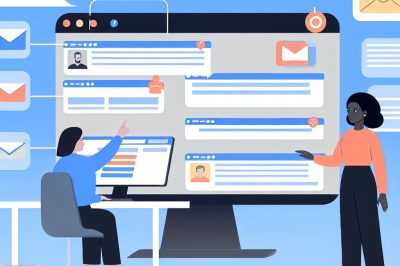
Streamlining Your Email Workflow
Managing multiple email accounts efficiently can significantly enhance personal and professional productivity. Ensuring that your email workflow is streamlined minimizes the time spent navigating through different accounts, thereby enhancing your ability to focus on more critical tasks.
Consolidating Email Accounts
One of the most effective strategies for managing multiple email accounts is to consolidate them into a single interface. Email clients like Microsoft Outlook, Gmail, and Apple Mail allow users to integrate multiple accounts, enabling access to all emails from a central location. By doing so, users can simplify the process of checking and responding to emails, reducing the hassle of switching between platforms.
Modern email clients have features like unified inboxes, which show emails from all accounts in one view. These features help maintain a cohesive strategy for all communications, leading to better time management. When all accounts are in one interface, checking emails becomes more efficient, and responses can be quicker and more informed. Incorporating a method that allows syncing of calendar and contacts alongside email can further streamline communications, ensuring that scheduling meetings and retrieving contact information is simplified through the same platforms.
Utilizing Email Filters and Labels
Setting up filters and labels is another efficient way to handle emails. Most email services offer features to create rules that automatically label, categorize, or even archive messages based on criteria like sender, subject, or keywords within the email. This system helps prioritize and organize messages, making it easier to distinguish the important emails from less significant ones.
Advanced Filtering Techniques
Using some advanced filtering techniques can refine how emails are processed. Creating filters for newsletters or promotional emails can ensure these messages are archived automatically or moved to specific folders. This leaves only critical emails in the primary inbox view, enabling a focus on priority communication.
Creating a Consistent Filing System
Developing a consistent filing system using folders or labels can be highly beneficial. By categorizing emails according to projects, clients, or urgency, you can quickly locate and address critical messages. This system saves time and reduces the likelihood of overlooking important information.
Implementing Tags and Flags
Beyond folders and labels, implementing tags and flags can further organize your emails. Flags serve as reminders to follow up on specific emails, while tags can provide contextual information, such as indicating an email as high priority or related to a particular project. It’s essential, however, to review the system periodically to ensure that all tags and flags are used consistently and effectively.
Setting Up Email Notifications
While notifications can distract from tasks, strategically setting up notifications for priority emails can be advantageous. Adjust notification settings to alert you only for emails from specific contacts or when certain keywords are in the subject line. By doing so, you remain informed about urgent communications without constant disruptions.
Balancing Notifications Across Devices
With email apps available on a range of devices, ensuring that notifications are balanced across platforms is crucial. For instance, disabling notifications on a laptop while enabling them on mobile devices, or vice versa, can help manage when and how alerts are received, according to personal preference and workflow needs.
Scheduling Email Times
Designating specific times to check and respond to emails is vital to maintaining productivity. This practice prevents constant interruption of workflow and helps maintain focus on other tasks. For instance, checking emails at the start and end of the day can keep correspondence organized and timely.
Setting Boundaries
It’s important to set boundaries within email workflows to prevent work from spilling into personal time. One method involves creating an auto-reply template for after-hours emails, informing senders that their message will be addressed within a specific timeframe. Tools like Boomerang for Gmail and others can aid in enforcing these boundaries by scheduling when emails can be sent or when they should return to the inbox for action.
Using Productivity Tools
Several productivity tools and extensions are designed to enhance email management. Tools like Boomerang for Gmail allow users to schedule emails to be sent later or to return to their inbox at a designated time. These tools assist in managing communication efficiently and ensuring important emails are revisited at the appropriate moment.
Exploring Multi-Tool Integration
Exploring integrations between email and other productivity tools, like calendar applications, task managers, or CRM systems, can enrich the functionality of email platforms. For example, connecting email with task management software can automatically convert emails into tasks, streamlining to-do lists directly from your inbox.
Exploring Email Automation
Automation can be a powerful asset when dealing with multiple accounts. Setting up auto-responses for common queries or using templates for regular communications saves time and ensures consistency across different accounts. Automation can range from simple canned responses to more sophisticated workflows triggered by specific email actions.
Proactive Automations
Beyond simple responses, proactive automations can automate follow-ups or gather survey feedback from clients after an interaction. These automations help in maintaining strong relationships without requiring daily attention, keeping communications personalized without added workload.
Reviewing and Refining Strategies
Regularly reviewing and refining your email management strategies is essential. Evaluating what’s working and where improvements can be made will ensure the system remains efficient as the volume of emails or the nature of communications changes over time.
Gathering Insights for Improvement
Collecting insights from analytics on email responses and tasks completed can help uncover areas for improvement. For instance, if automated reports show a lag in responses to certain types of mail, it might be worth revisiting the assigned priorities or filters.
Managing multiple email accounts doesn’t have to be daunting. By using the right tools, employing strategic methods, and maintaining a bit of thoughtful organization, handling multiple accounts can be accomplished with ease and efficiency, allowing more time for other crucial activities.