Understanding Email Overload
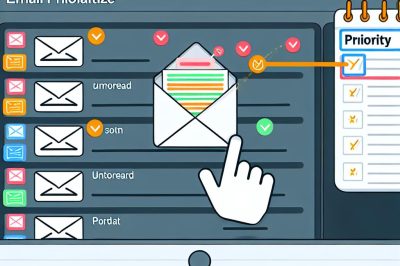
Email overload is a significant challenge that affects both individuals and businesses. In today’s digital age, the constant influx of messages can become overwhelming, making it difficult to distinguish between emails that require immediate attention and those that can be addressed later. Effectively prioritizing these communications is crucial for maintaining productivity and staying organized in both personal and professional settings. For additional insights on managing your digital workspace, you can visit Productivity Solutions.
Understanding the Problem
Before diving into solutions, it’s essential to understand why email overload happens. The sheer volume of emails can quickly escalate, reaching hundreds or even thousands within a short span of time. This is compounded by the tendency for many people to subscribe to numerous newsletters, notifications from social media platforms, and updates from various services. Without stringent control, your inbox can rapidly become cluttered, leading to decreased efficiency and heightened stress levels.
Identifying Important Emails
One of the first steps in managing email overload is learning how to identify which emails are truly important. Developing criteria to discern the significance of an email can drastically reduce the time spent sorting through your inbox.
Sender: One of the primary indicators of an email’s importance is the sender. Emails from your superiors, key clients, or frequent collaborators should generally be prioritized. By focusing on these essential communications, you ensure that your attention is directed towards what matters the most.
Subject Line: The subject line is another quick way to gauge the importance of an email. Look for specific keywords such as “urgent,” “response needed,” or “proposal,” which often indicate that the email requires prompt attention. These cues help in quickly filtering the messages that need immediate action from those that can wait.
Timing: An email’s timestamp can also be an important factor. While newer emails might seem more pressing, it is crucial not to overlook older emails from important contacts. Balancing both recent and past messages ensures that you handle all communications effectively.
Utilising Email Tools
Most email systems come equipped with tools designed to help users manage their inboxes more efficiently. By taking full advantage of these features, you can mitigate the effects of email overload.
Filters and Folders: Filters can automatically organize your emails based on specific criteria such as sender or subject keywords. By setting up these filters, important emails are automatically categorized and easily accessible, allowing you to focus only on what is essential.
Flagging and Pinning: Another strategy is to use features like flagging or pinning to mark emails that need immediate attention or require a follow-up. Pinning essential conversations at the top of your inbox ensures that they remain visible and are not overlooked in the flood of incoming messages.
Regular Inbox Maintenance
Consistent maintenance practices are vital for keeping email overload at bay. These strategies can help create a streamlined and efficient email management process.
Schedule Email Checks: Instead of constantly checking your inbox throughout the day, designate specific times for this task. This reduces the distraction of frequent notifications and allows you to focus on other tasks.
Batch Processing: Batch processing involves grouping similar tasks together. For instance, you can designate a specific time to read through newsletters or promotional emails all at once. This approach increases focus and minimizes the constant back-and-forth typically involved in handling emails one by one.
Unsubscribe from Unnecessary Lists: Regularly review and unsubscribe from mailing lists or newsletters that no longer provide value. This action effectively reduces the volume of incoming mails, allowing you to concentrate on messages that matter.
Advanced Prioritisation Techniques
For those managing a high volume of email traffic, more advanced tools and techniques may be necessary to maintain efficiency.
Productivity Apps: Leveraging productivity applications such as Slack or Trello can integrate with your email system for more organized communication. These platforms facilitate better collaboration and task management, allowing team members to focus on priorities without the need for constant email exchanges.
Email Management Software: There are dedicated email management software solutions available that provide advanced features. Some include AI-based tools for prioritization, which automatically sort emails based on their importance. These softwares often offer automation capabilities, reducing the manual effort required to manage large volumes of emails.
Conclusion
In conclusion, email overload is an issue that many face daily, but it is manageable with the right approach and tools. By identifying which emails are important, making use of built-in email tools, and practicing regular maintenance, one can significantly mitigate the challenges of managing an overloaded inbox. Additionally, incorporating advanced prioritization techniques and productivity apps can further streamline this process. For those looking to enhance their email management skills, exploring resources from productivity experts or enrolling in professional courses online may be beneficial. These strategies not only increase productivity but also contribute to a more organized and stress-free digital environment.