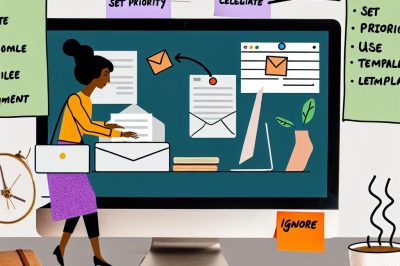
Optimizing Your Email Workflow
In today’s digital environment, managing emails efficiently has become an essential skill. With the right strategies in place, individuals can handle their email inboxes effectively, preventing the common feeling of being overwhelmed. This article delves into different techniques and practices to enhance your email processing workflow.
Use Filters and Labels
One of the foundational steps in optimizing email management is the effective use of filters and labels. Modern email services come equipped with tools that allow users to set criteria for categorizing incoming emails. By defining these criteria, emails can automatically be sorted into specific folders or have labels applied. This systematic organization of emails ensures that your inbox remains clutter-free and allows for easier navigation. For organizations and individuals alike, this streamlined approach reduces the time spent sifting through emails, allowing for more efficient management of important communications.
Set Specific Times for Checking Emails
In the quest for productivity, constant email checking can serve as a significant disruptor. Constantly switching between tasks to respond to emails can hinder deeper focused work. To combat this, it is beneficial to set specific times during the day dedicated to checking and responding to emails. Consider allocating time slots in the morning, after lunch, and towards the end of the workday for efficient email management. This structured approach not only minimizes distractions but also ensures that email tasks don’t encroach on more pressing activities that require concentration.
Adopt the Two-Minute Rule
The two-minute rule is a simple yet powerful strategy for handling emails quickly. The principle is straightforward: if a particular email can be responded to in less than two minutes, take care of it immediately. This approach helps prevent the accumulation of minor tasks, subsequently reducing the overall volume of emails that require attention. By adopting this rule, you can maintain a smoother workflow and avoid letting small, resolvable tasks become hindrances in your daily email management routine.
Use Templates for Common Responses
Crafting email responses from scratch can be time-consuming, especially when many of them are similar in nature. To address this, creating and using templates for frequently sent or repetitive responses can significantly cut down the time spent on each email. Many email clients now support the use of templates, allowing users to customize them to fit various scenarios and needs. By leveraging templates, the effort required for drafting typical responses is minimized, making communication more efficient and standardized.
Unsubscribe From Unnecessary Lists
Over time, it’s common to find your email address subscribed to an array of newsletters, promotional emails, and other distribution lists. While some of these may have initially offered value, they can become sources of unwanted clutter. Periodically reviewing these subscriptions and unsubscribing from those no longer deemed valuable is an effective way to reduce inbox congestion. Decreasing the volume of such non-essential emails allows you to focus more on crucial communications, thus enhancing the overall productivity of your email workflow.
Leverage Email Client Features
Modern email clients are intentionally designed with productivity-enhancing features. These include options such as snoozing emails for addressing later, scheduling them for optimal reception times, and integrating to-do lists directly within the email interface. By utilizing these features, you can seamlessly manage emails and ensure that important follow-ups don’t slip through the cracks. When these functionalities are effectively leveraged, they can significantly streamline your email workflow, allowing you to tackle your email duties systematically.
Conclusion
Streamlining email processing is more than just an organizational task; it is about embracing a strategic and technology-driven approach to communication. By implementing the strategies discussed, one can handle emails with greater efficiency and subsequently free up valuable time for more significant responsibilities. More resources on enhancing email productivity are available online, offering various productivity tools that can further aid in email management. By continuously refining and adapting these solutions, users can ensure that their email management is not only effective but also in line with evolving digital practices.