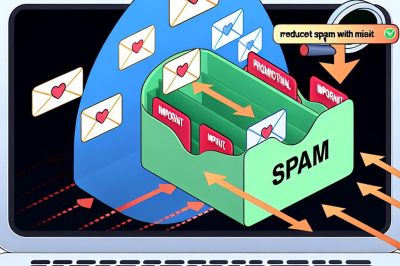
Spam emails are a ubiquitous annoyance in our digital lives. Characterized as unsolicited messages, they not only clutter inboxes but can also pose significant threats to your device’s security by delivering malware or launching phishing attacks. Over the years, major email providers have continually advanced their spam detection capabilities; however, striking the right balance between filtering spam and retaining important messages remains an ongoing challenge for users globally.
Utilizing Built-In Features
Many email services offer built-in features to give users more control over their inboxes, thereby minimizing spam. These tools can be highly effective if leveraged properly.
Spam Filters: Each email service typically provides spam filters configurable to user preferences. By adjusting these settings, you can ensure that suspected spam messages are automatically identified and redirected into a separate folder, reducing the clutter in your primary inbox.
Safe Senders List: Another useful feature is the ability to create a safe senders list, or whitelist, which allows you to specify trusted email addresses. Adding important contacts to this list prevents their emails from mistakenly being classified as spam, thereby reducing the risk of losing essential communication.
Creating Rules and Filters
Custom rules and filters are another effective strategy for controlling the flow of emails, ensuring that important messages are always prioritized over potential spam. By setting specific criteria based on the sender, subject line, or even keywords within the email, you can direct messages to the appropriate folders automatically, thus optimizing your inbox management process.
Selective Sign-Ups
Exercise caution regarding where you use your email address. Make a concerted effort to limit sign-ups to only reputable websites and services. For casual subscriptions or online shopping, consider using a secondary email address. This approach will help in reducing the number of promotional emails hitting your primary inbox, keeping it reserved for personal and professional use.
Unsubscribing from Unwanted Lists
Most promotional or marketing emails include an “unsubscribe” option, a convenient tool that many might overlook. Taking the time to opt-out of unnecessary mailing lists can considerably decrease the volume of spam you receive. By actively managing your subscriptions, you contribute to a cleaner, more efficient inbox.
Avoid Engaging with Spam
Engaging with spam emails is a common but often underestimated error. It is crucial to avoid clicking on any links, downloading attachments, or replying to suspicious emails. Such actions can inadvertently confirm to the sender that your email address is active, which may result in an increase in unwanted messages.
Third-Party Software and Services
In addition to the built-in tools offered by your email provider, consider employing third-party apps or services that specialize in spam management. These often come equipped with advanced filtering and segregation options that offer enhanced control over your email correspondence. However, always ensure these applications are reputable to safeguard the privacy and security of your data.
Regular Monitoring
Even with advanced filtering in place, it’s prudent to periodically review your spam and junk folders. Legitimate emails can occasionally be caught by aggressive spam filters, potentially leading to missed opportunities or communication failures. Regularly monitoring these folders helps ensure such misclassified communications are brought to your attention promptly.
Conclusion
Navigating the fine line between reducing spam and ensuring no critical emails are missed necessitates a proactive approach. By leveraging the tools at your disposal from email providers, customizing your filter settings, and taking preventive measures in your digital activities, you can create a more organized and productive email experience. Proactively adopting these strategies allows you to focus on important communication and maintain the integrity of your online interactions. For more comprehensive strategies, exploring the official resources or user communities offered by your email service provider may yield additional insights.