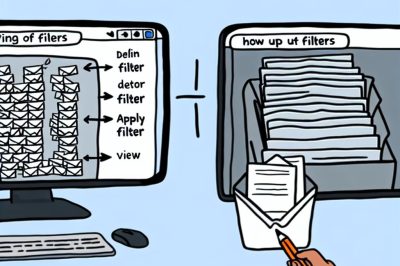
Understanding Email Filters
Email filters are essential tools for managing and organizing your email inbox effectively. By setting up filters, you can automatically sort, label, or delete emails based on predetermined criteria, ensuring that you only focus on what truly matters. For detailed guidance on effective email management strategies, explore resources at Email Management Guide.
Setting Up Filters
Creating filters depends on your email provider, but the fundamental principle remains constant. You define rules that automate the organization of your emails. These rules help you maintain a streamlined inbox, allowing you to focus on essential communications without the distraction of irrelevant emails. Here’s a general approach to setting up filters:
Email Service Providers:
Most email services like Gmail, Outlook, and Yahoo offer built-in filter options. You can access this feature through the settings menu of your respective email service. Each provider has slightly different terminology and setup procedures, yet they all aim to facilitate the same goal – organizing your inbox according to your preferences.
Determine Criteria:
Filters act on specific criteria such as sender, subject line, keywords, and attachments. Determining these criteria is a vital step. For instance, you might choose to filter all emails containing the word “invoice” in the subject line, or perhaps emails sent from a particular contact. The clarity and specificity of your criteria will determine the efficacy of your filters.
Define Actions:
Once you establish your criteria, decide what action the filter should perform. Common actions include moving emails to specific folders, marking them as read, or deleting them. The action you select should align with your email management objectives. For instance, routing less urgent communications to a secondary folder can keep your primary inbox cleaner and more focused on priority items.
Common Filtering Use Cases
Promotional Emails:
A significant portion of daily emails consists of promotional offers. Many marketers send emails that can quickly clutter your inbox. Filters can be particularly useful here, as you can set them up to identify keywords like “offer” or “deal” and then automatically move them to a separate folder dedicated to promotions. This organization strategy prevents promotional emails from overwhelming your primary inbox while still keeping them accessible for when you’re ready to view them.
Important Contacts:
Ensuring that emails from vital sources—like bosses, clients, or family members—receive the attention they deserve is critical. Filters can be applied to let these emails bypass your clutter folder and get flagged as important. This way, messages from key contacts are immediately visible and prioritized, helping you address significant issues promptly and maintain robust professional or personal relationships.
Newsletters:
Your interest in staying updated via newsletters should not translate into a chaotic inbox. If you subscribe to newsletters, filters can direct these communications to a dedicated folder. This methodical organization allows you to read them at your convenience, without interrupting the flow of your primary inbox. Consequently, newsletters don’t clog up space needed for more urgent emails but are placed in an orderly fashion where they can be accessed during allotted reading times.
Managing Filters
After setting up filters, regular review is crucial. The inevitability of changing needs means that email requirements evolve. Over time, filters that were once useful can become obsolete due to changes in your professional role, personal interests, or even the nature of the emails you receive. Regular adjustments to your filters ensure they remain effective and relevant. Doing so maximizes their efficiency as tools in managing digital correspondence and adapts them to your ongoing priorities.
Conclusion
Email filters significantly improve your ability to manage an ever-growing influx of messages. By investing a little time in setting up thoughtful filters, you can maintain a cleaner, more organized inbox, which substantially enhances productivity and focus on important tasks. Efficient email management not only streamlines your communication process but also ensures that your priorities are always at the forefront, thus facilitating better time management and overall efficiency in both personal and professional spheres. For further insights on optimizing your email management strategies, continue exploring resources at Email Management Guide, which offers a wealth of information to tailor your email usage to fit your unique requirements.