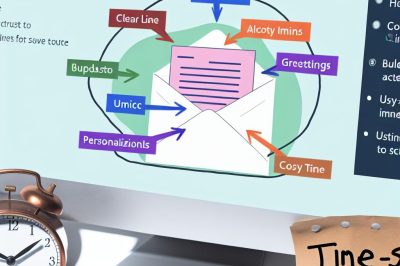
Understanding the Value of Email Templates
In today’s fast-paced digital environment, efficient communication is absolutely essential in maintaining productivity and effectiveness in business interactions. Utilizing email templates can significantly enhance productivity by providing a consistent format for corresponding with colleagues, clients, and other professional contacts. By standardizing messages, these templates not only save time but also reduce the risk of errors, ensuring that critical information is communicated accurately and effectively.
Email has become a primary mode of communication in most professional environments, and with the sheer volume of emails exchanged daily, maintaining consistency and clarity can be a challenge. This is where email templates come into play. By using templates, you can ensure that every email adheres to a particular structure, thereby eliminating the chances of omitting important details or introducing inconsistencies in communication. For more resources on how to start creating and using email templates effectively, platforms like Mailchimp and HubSpot offer comprehensive guides and tools.
Components of Effective Email Templates
Creating an effective email template involves incorporating several key elements that enhance clarity and functionality. Each component plays a vital role in ensuring the information within the email is communicated clearly and efficiently.
1. Subject Line
The subject line is arguably the most important part of the email template. A clear and concise subject line is crucial for capturing the recipient’s attention and indicating the email’s purpose. It is recommended that the subject line accurately reflects the content of the email to avoid any confusion for the recipient. A well-crafted subject line not only informs the reader of the topic at hand but also sets the tone for the messages contained within the email. This initial glimpse can often determine whether the recipient opens the email immediately or postpones it for a later time.
2. Greeting
A standardized greeting helps establish a polite tone and provides consistency across communications. The choice of greeting can be adjusted depending on the level of formality and your relationship with the recipient. Whether it’s a formal “Dear [Name],” or a casual “Hi [Name],” the greeting sets the initial tone for the subsequent content of the email. Ensuring that the greeting matches the level of formality with the recipient is important for maintaining professionalism.
3. Body Content
The main body of the email needs to employ clear and direct language to ensure the message is understood without ambiguity. Each template should address a specific purpose, such as confirming meetings, sending reminders, or following up on previous conversations. Utilizing formatting options like bold or italics for emphasis can help highlight key information, thereby guiding the reader’s attention to important points. The body content must be tailored to communicate precisely what the sender intends, offering all necessary details while keeping it succinct.
4. Call to Action
A strong call to action (CTA) is an indispensable component of an effective email template. Whether requesting feedback, confirming receipt, or encouraging the recipient to take specific action, the CTA should be clearly articulated. A well-defined CTA guides the recipient’s next steps, ensuring there’s no ambiguity about what is expected of them following the reading of the email. This might involve inviting them to click a link, fill out a form, or simply reply to confirm receipt of the information shared.
5. Closing and Signature
Closing the email with a courteous farewell maintains a professional and respectful tone. A standardized closing also promotes consistency across all communications. Including a standardized signature with contact information is key to ensuring that recipients know how to reach you should they need to, without having to search for your contact details. A well-crafted signature can provide a touch of professionalism and offer easy access to essential contact details for follow-ups.
Benefits of Using Email Templates
Email templates not only save time but also ensure consistency and professionalism in communications. By standardizing responses, they significantly reduce the need for repetitive typing and minimize the chance of error. Additionally, templates ensure that communications remain aligned with certain branding and style guidelines inherent to the organization. This ensures that all outgoing communication maintains a consistent appearance and voice, reflecting the professionalism and attention to detail of the organization. Ultimately, email templates provide a framework that aids in delivering clear, concise, and professional communication that aligns with company standards.
Tips for Customizing Templates
While templates standardize the format of emails, personalization remains key in maintaining engagement and relevance. It is essential to customize templates wherever possible to include the recipient’s name, personalize the content based on their specific needs or past interactions, and adjust the formality to match the recipient’s style and relationship with your organization. Personalization contributes to making the communication feel more genuine, enhancing the recipient’s perception and engagement with your email.
Resources and Tools for Creating Templates
There are various tools and platforms available that offer features to create and manage email templates efficiently. Whether utilizing an email client like Outlook or Gmail that offers built-in template functionalities or opting for specialized tools designed for extensive template management, selecting the right platform can greatly streamline the creation process. Both Mailchimp and HubSpot offer extensive resources and guides that can provide insights into best practices and advanced features to enhance your email communication strategy. By integrating these strategies, professionals can create effective email templates that boost productivity and ensure clear, consistent communication across all platforms. By employing these resources and techniques, businesses and individuals can maintain efficient, professional communication channels that resonate well with their intended audience.